Easy and Simple GST e-Invoice Generation without accounting software and ERP, through GePP-On
GST e-Invoice Generation using “GePP-On”: GePP-On is a GST Online Application Tool for Preparing and Printing of the GST e-Invoices Online. The National Informatics Centre (NIC) developed this free, web-based utility tool as part of the GST e-Invoicing system. The only objective of this tool is to facilitate the process of a GST Invoice Entry, Generation of IRN and Invoice Printing.
E-invoice under GST System: An e-invoice improves readability, accessibility, and authenticity by digital preparation through a standardized regulatory format across the GST ecosystem, including regulatory authorities.
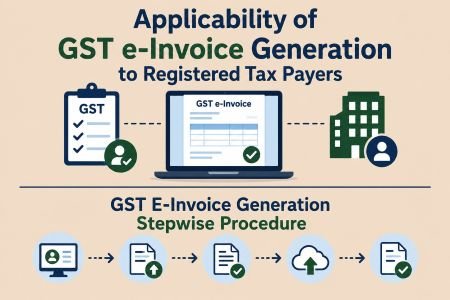
Applicability of GST e-Invoice to Registered Tax Payers
GST e-Invoice generation is mandatory to the registered tax payers, whose aggregate annual turnover (AATO) exceeds ₹5 crore, in any financial year from FY 2017–18. The registered tax payers are required to comply with E-invoice Procedure on crossing of the said threshold in any one of those years, even if turnover falls below ₹5 crore in subsequent years.
The threshold limits of aggregate annual turnover (AATO) will be computed as per the filed Form of GSTR-3B (Cumulative PAN Based) with the GST Portal, excluding the GST (including compensation cess) and the value of inward supplies received on which they are liable to pay tax under RCM. The said threshold limits are expected to change in the upcoming years, subject to the changes in GST rules and regulation in force.
GST E-Invoice Generation Stepwise Procedure
- The registered taxpayer or accountant will prepare the invoice for their business transactions as usual.
- IRP (Invoice Registration Portal) is a digital platform authorised by the government, to validate the GST Invoice.
- The regular invoice should be submitted to the IRP (Invoice Registration Portal) through modes as below.
(a) Directly through the IRP (or)
(b) ERP/accounting software (or)
(c) GST Suvidha Provider (GSP) (or)
(d) GePP-On GST Application (facilitate the automatic submition to IRP) - The Common Validation Errors can be interpreted with the help of the following Weblink
https://einvoice1.gst.gov.in/others/geterrorcodes/INV - After submission, IRP will validate the data in the invoice.
- After validation IRP will generates a unique number to each invoice called “IRN – Invoice Reference Number” and “QR Code”
- An E-invoice is an invoice consist of IRN Invoice Reference Number and QR Code which shows that the invoice was authenticated by the government.
- Print or save the e-Invoice on Generation at IRP Portal
- Eventually, E-Invoice will be auto-updated at the GST Portal (Form GSTR-1).
Invoices and Notes covered under E-invoice:
- Regular B2B Invoices including Export Invoice, Invoice to SEZ Units/ Developers.
- Invoice by SEZ Units/ Developers (if specially notified)
- Credit Note and Debit Note
- E-Invoices do not cover B2C invoices
Registration on the GST “E-invoice System” before using “GePP-On”
The registered taxpayers have to visit the “GST e-invoice system” (https://einvoice1.gst.gov.in/) and click on the tab “Registration” and follow the instructions to create credentials and then log into the e-invoice system by using the created credentials. User must use the same credentials to access ‘GePP-On’ for GST e-Invoice Generation (IRN).

Features and Benefits of GePP-On.
- It is an open and cost-free web application for GST e-Invoice generation.
- User can use the application in desktop, laptop, and mobile device web applications.
- It is an independent web application tool and not related to any ERP and Accounting Software.
- Availability of options like “Recipient Master” for recipient GSTINs, and “Product Master” for HSNs details, which reduce the effort and time required to enter details.
- Users can run the application online as well as offline, prepare and store data on the system or mobile device, and submit it to the portal by going online.
- The ability to import and export the backup data to required systems.
- An option, “E-way Bill” is available within the menu of “Create e-Invoice”
- Printing the e-Invoice with QR code.
- Built-in validations to ensure the accuracy of the data entered.
- User can modify business unit data by editing the “Profile Tab”.
- It is an application that facilitates easy and user-friendly platform for e-Invoice compliance and it is particularly very useful for micro, small and medium enterprises (MSMEs) with limited number of invoices.
Benefited Business Users: Registered taxpayers with few invoices but covered under the E-invoice applicability will benefit from the usage of “GePP On” due to its smooth integration with the e-Invoice portal, which will enable the generation of IRN without the need for API integration or using the portal’s bulk upload option.

Detailed Explanation about the Significant Options of “GePP-online” Application
The Registered taxpayer can use the credentials of GST “E-invoice System to login to the “GePP-On” Application for GST e-Invoice Generation (IRN):
- Login to Gepp-on: https://gepp.einvoice1.gst.gov.in/#/, after entering the credentials, can view as below:
- The Home Page displays a simple dashboard with:
- a) Pending Invoices, b) Generated Invoices, c) Recipients, and d) Products
- Main Menu displays with options like:
- a) Create invoice, b) Pending invoices, c) Cancel IRN, d) EWB by IRN, e) Generated invoices, f) Recipient Master, g) Product Master, h) Backup/Restore Data, and i) Profile
- Options that are clear by their Name are: Create e-invoice, Cancel IRN, Generated e-invoices.
- Clarification about the other Options
- Pending invoices:
- After entering all invoice details, such as GSTIN, HSN, amount, etc., in the “Create e-Invoice” option, the user can choose either “Save” or “Generate.” The “Save” option allows the user to save the invoice as a draft without generating an IRN, while the “Generate” option allows the user to proceed directly with IRN generation without saving the invoice as a draft.
- Users can find draft invoices that they have not yet generated under the “Pending Invoices” option. In Simple words i.e Pending for IRN generation.
- Recipient Master
- Users can save the GSTIN details of frequently used goods and service recipients or clients through this option. They need to complete this process once.
- For a new client, users should add the client’s GSTIN to this option.
- While entering invoice details in the “Create e-Invoice” option, users can select the client’s GSTIN from this master, and the system will automatically pre-fill the other details.
- This will reduce the effort and time required to enter the same GSTIN for every transaction
- Product Master:
- User can save all details of the existing goods and service like HSN code, description, units, price and tax rates for commonly provided goods and service through this option. They only need to complete this process once.
- In case of new “Goods and Services” (if any) such details should be updated or added in this option only.
- While entering invoice details in the “Create e-Invoice” option, users can select the product or service details from this master, and the system will automatically pre-fill the saved information.
- Profile: The user may update their profile settings if any, this is a one-time process. The system will take into account, the supplier/user GSTIN information from said profile settings at the time of IRN generated.
- Pending invoices:
- Backup/Restore Data: This option allows users to export and import data from one system or browser to another system or browser respectively.
For the detailed screen-based explanation, refer to the official GePP-On User Manual available at:
https://gepp.einvoice1.gst.gov.in/downloads/Gepp_usermanual.pdf

Challenges and Suggested Remedial Measures for effective use of “GePP-On” for GST e-Invoice Generation:
- Enter the details of Recipient Master and Product Master before creating the invoice, as Direct E-invoice Generations is not possible without the master details.
- Dependency on the pattern of “Single system and Single browser”, which means if business unit enter its invoice details in one of the systems and using any one browser then data stores in the system is browser dependent and if application opened in same system different browser, then data will not be available in it.
- Example: If data entered and stored in GePP-On application by using the Firefox browser, then it will be available in the same Firefox browser on same system. The data as saved will not be further available, if the user logs by using a different browser, such as Google Chrome, on the same system.
- In “GePP-On”, there is an option “Backup/Restore Data”, to overcome this limitation. The pattern of systematic backups can be taken by using the “Backup” option, and the data can be transferred to another system or browser using “Restore Data” option.
- Similarly, saved/ stored details as related to the pending invoices, recipient master, product master, and generated invoices won’t be accessible if the user re-installs the operating system. The saved/ stored data of GePP-On, may be affected if the browser’s local storage/cache or the history is deleted. It is better to ensure a systematic backup plan to overcome these types of issues.
- There is a limit of ten invoices that can be kept in “Pending Invoices” for IRN generation. But for a new invoice IRN can be generated directly without cancelling the pending invoices invoices
Practical Issues: Queries & Solutions on GePP-On- GST E-invoice Utility Tool
Q-1: Can users cancel e-Invoices using “GePP-on” if they generated them through the e-Invoice Portal’s bulk upload facility or using an API??
Sol-1: Yes, one can cancel such E-Invoice using “GePP-on” by providing the IRN or document details like document number.
Q-2:Can users use GePP-on for multiple GSTINs?
Sol-2: Yes, only if user has updated one GSTIN in Chrome browser and another GSTIN in other browser like Firefox but two GSTINs cannot be done in one browser.
Q-3: The IRN count shown in the Dashboard are related only to the E-invoices generated using Gepp-on or includes E-invoices generated using E-Invoice Portal Bulk upload or API?
Sol-3: The Dashboard shows the IRN count that relates only to the e-Invoices that have been generated using GePP-On application in the same system and in the same browser for the logged in GSTIN, respectively.
Q-4: Can users generate e-Way Bills using GePP-on for e-Invoices generated through the e-Invoice Portal’s bulk upload facility or using an API?
Sol-4: Yes, one can generate EWBs for the such E-invoices by providing the IRN number or document details like document number or document date and the Part-B details of the EWB.
Q-5: Is there any online App to download GePP-On on a Mobile Phone?
Sol-5: Yes, iOS and Android have apps, the same can be downloaded, respectively.
Authored by Team RYmergZ
About the Author:
A Corporate Professional, having the Post Qualification Experience of Fifteen Years Plus, in the areas of Corporate Laws and Governance, Regulatory Reporting, Contract Management, Compliance and Risk Governance.
Please contact us if you require professional advice. https://rymergz.me/contact-us/




Useful insights on Gepp-on for GST E- invoice really helpful to small units